
How Snowflake Tasks and Streams Support ETL
Snowflake Streams track changed rows, while Tasks run SQL or stored procedures on a schedule or when data changes. Together, Snowflake Tasks and Streams let data engineers automate incremental processing inside Snowflake.
For beginners and working engineers, this means processing changes without rebuilding entire tables. Start with change capture, apply transformations, and monitor execution so your pipeline keeps delivering usable data.
Key Takeaways
- Streams expose changes relative to an offset, so you can process new and changed rows instead of entire tables.
- Tasks run SQL or stored procedures through schedules, data-triggered conditions, or dependencies.
- A committed DML transaction advances a Stream’s offset; a plain query doesn’t consume it.
- Stable keys and deterministic transformations make retries safer, but don’t guarantee exactly-once processing across every design.
- Production pipelines need staleness alerts, failure monitoring, and compute choices that match their freshness requirements.
Quick summary: Streams provide incremental input. Tasks provide execution. You still define the transformation rules, dependencies, and recovery behavior.
Key takeaway: Commit the target write and Stream consumption together. If later steps can fail independently, design their recovery around the data already committed.
Quick promise: With these checks in place, you’ll have a repeatable way to judge whether your pipeline is current, recoverable, and appropriately sized.
How Snowflake Tasks and Streams Support ETL
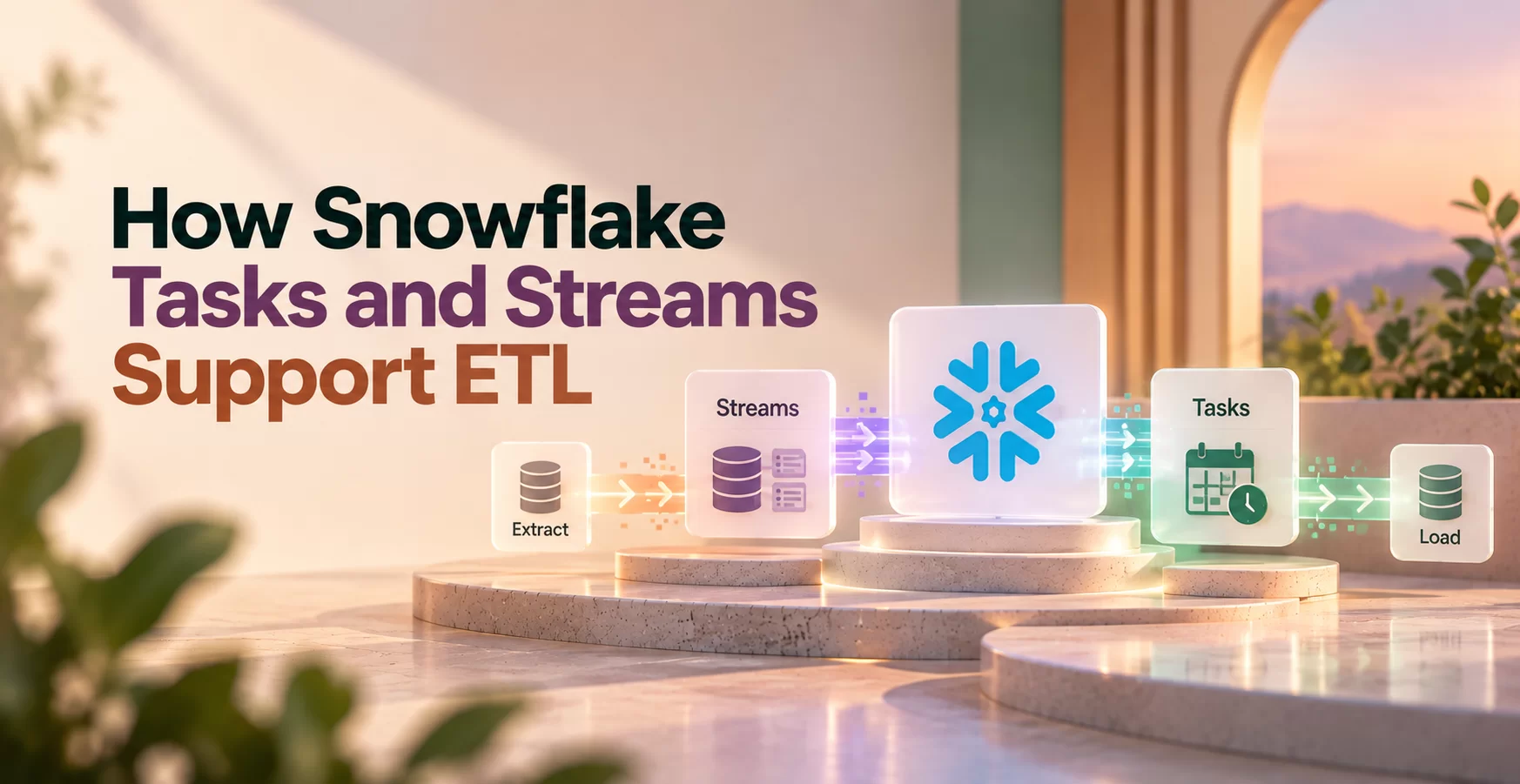
The division is straightforward: a Stream identifies changes, and a Task executes work. Streams don’t transform data by themselves. Tasks don’t capture changes.
Here’s how each component fits.
| Component | Purpose | Tracks or runs | Pipeline role |
| Stream | Expose changes | Change records since its offset | Supply incremental input |
| Task | Automate execution | SQL statements or stored procedures | Transform data and coordinate dependencies |
Incremental processing reduces the rows your transformation needs to consider. It doesn’t automatically make every query cheaper; query design still matters.
What a Snowflake Stream captures
A standard Stream exposes inserts, updates, and deletes through change data capture, or CDC. Metadata columns include METADATA$ACTION, METADATA$ISUPDATE, and METADATA$ROW_ID.
Updates appear as paired delete and insert records. Append-only Streams track inserts and suit sources where existing rows don’t need updates or deletion handling.
A Stream stores an offset into the source’s change-tracking history rather than duplicating the full table. It exposes the net changes between offsets, not a complete event-by-event audit log.
What a Snowflake Task runs
A Task runs a SQL statement or calls a stored procedure. You can schedule it or connect it to predecessor Tasks.
In a task graph, a root Task starts execution. Child Tasks run after their dependencies succeed. Snowflake’s Task execution documentation covers these execution patterns.
User-managed Tasks use a virtual warehouse. Serverless Tasks use Snowflake-managed compute.
Build an incremental ETL pipeline with a Stream and Task
Let’s use an orders pipeline with raw_orders as the source and clean_orders as the destination. Assume order_id is stable.
- Load incoming orders and corrections into raw_orders.
- Create orders_changes as a standard Stream on that table.
- Run a Task that merges those changes into clean_orders.
- Use dependent Tasks to validate results or refresh order aggregates.
Set up change capture and a safe transformation
Create the Stream with CREATE STREAM orders_changes ON TABLE raw_orders. By default, it tracks subsequent changes, so handle any initial historical load separately.
Your MERGE matches rows using order_id. Insert unmatched orders, update matched orders, and delete matched orders for genuine source deletions.
Handle update pairs carefully: exclude the delete half where METADATA$ISUPDATE is true, then apply the insert half as an upsert. Make source selection deterministic so multiple records can’t ambiguously update one target row.
The transaction boundary matters. A Stream advances when a committed DML transaction consumes its change data. A plain SELECT doesn’t advance it, and a rolled-back transaction doesn’t mark those changes as processed.
Connect Tasks into a clear workflow
Use a scheduled root Task with a WHEN condition, or use a triggered Task without a schedule. Connect later Tasks through AFTER dependencies.
The SYSTEM$STREAM_HAS_DATA function helps skip unnecessary execution, but it can return true without usable change rows. Your transformation must tolerate empty input.
Resume the newly created Tasks before expecting execution. A change check doesn’t replace validation, retries, or error handling.
Keep Snowflake ETL reliable, timely, and cost-aware
Prevent missed changes and duplicate processing
Consume changes before the required source history expires. Snowflake’s Stream management guidance explains retention and staleness; inspect STALE_AFTER when assessing your recovery window.
Alert on stalled Tasks and approaching staleness. A successful run last week doesn’t prove today’s changes are moving.
Use stable keys and idempotent transformations, where repeating the same input produces the same intended result. Avoid blindly appending every retry. Account for failures after one Task commits but before a downstream Task finishes.
Task retry settings can help with transient failures. They won’t repair invalid SQL, missing permissions, or broken business rules.
Monitor Task runs and choose compute
Use TASK_HISTORY to inspect execution states, durations, and errors. The SNOWFLAKE.ACCOUNT_USAGE.TASK_HISTORY view supports historical analysis; SERVERLESS_TASK_HISTORY adds serverless usage information.
Choose user-managed warehouses when you want direct control over warehouse sizing and sharing. Serverless Tasks let Snowflake supply execution resources.
Test both against workload size, frequency, and freshness requirements. Neither option is automatically cheaper.
Before production, confirm that:
- Empty change sets complete safely, and retries don’t duplicate target records.
- Alerts cover failed runs, stalled pipelines, and Stream staleness risk.
- Task ownership, execution privileges, warehouse access, and dependencies are correct.
Snowflake ETL terms to know
ETL: Extract, transform, load. A process that transforms extracted data before loading it into its intended destination.
ELT: Extract, load, transform. A process that loads data first, then transforms it using the destination platform’s compute.
Stream: A Snowflake object that tracks an offset and exposes changes to a supported source object.
Task: A Snowflake object that executes SQL or a stored procedure through scheduling, triggering, or dependencies.
Change data capture: A method for identifying changes to source data so downstream systems can process incremental updates.
Offset: A Stream’s position in the source object’s change history. It defines the starting point for the changes the Stream exposes.
Task graph: A collection of connected Tasks with a root and dependent Tasks. Dependencies control execution order.
MERGE: A SQL command that inserts, updates, or deletes target rows according to source matches and defined conditions.
Virtual warehouse: A Snowflake compute resource that executes queries and other workloads. It is separate from database storage.
Stream staleness: A condition where required source history is no longer available, preventing the Stream from exposing the complete changes since its offset.
Frequently Asked Questions
Do Snowflake Streams store a copy of changed rows?
No. A Stream maintains change-tracking metadata and an offset, then exposes change records using the source object’s history.
It isn’t a separate table containing a full duplicate of changed rows. However, keeping that history available can require retained source data, so Streams aren’t a reason to ignore storage and retention planning.
Can a Snowflake Task run without a Stream?
Yes. A Task can execute scheduled SQL or a stored procedure without referencing any Stream.
For example, a nightly Task can delete expired records from a staging table using a date-based condition. Add a Stream when execution needs incremental table changes; a fixed housekeeping schedule doesn’t require CDC.
How often should a Stream-triggered Task run?
There isn’t one correct interval. Choose execution behavior around freshness requirements, arriving data volume, transformation duration, and compute spending.
Snowflake’s triggered Task documentation describes execution based on Stream changes without a fixed schedule. Compare actual Task history against your freshness target, and adjust the design when processing falls behind or runs too frequently.
What happens if a Snowflake Stream becomes stale?
A stale Stream can no longer provide the complete change set since its offset. Resuming the consuming Task won’t restore history that has expired.
Recovery can require recreating the Stream and reloading or reconciling affected data. Your recovery plan should define how to restore a trustworthy target before incremental processing resumes.
Put your Snowflake ETL workflow into practice
Snowflake Tasks and Streams give you change capture and automated execution inside the warehouse. Dependable ETL also needs safe processing, clear dependencies, and monitoring that catches failures before source history expires.
Practice with an orders pipeline, then test updates, deletes, empty batches, and failed runs. Our Snowflake training and free DE End-to-End Projects offer a practical next step for building your data-engineering skills.