
CI/CD for Data Engineering: A Beginner’s Practical Guide
CI/CD helps data teams test, review, and safely release pipeline changes instead of editing production systems by hand. For data engineering, that includes Python code, SQL transformations, schemas, infrastructure, and data quality checks. If you’re a beginner or career switcher, this guide gives you a practical path to building reliable release habits.
Key Points
- CI runs automated checks whenever you change pipeline code or SQL.
- CD moves approved changes through staging and into production safely.
- Data pipeline CI/CD must validate data quality, schemas, and downstream dependencies.
- Git, pull requests, tests, secrets, and monitoring form a solid starting setup.
- A small working CI/CD project can strengthen a data engineering portfolio.
Quick summary: Data engineering CI/CD turns pipeline releases into a repeatable process. It checks code and data assumptions before production, records each change, and gives teams a safer way to recover when a release fails.
Key takeaway: A successful pipeline run does not prove the data is correct. Good CI/CD checks the code before release and watches freshness, quality, and schema behavior after deployment.
Quick promise: By starting with Git, automated tests, and a staging environment, you can build a portfolio project that shows employers you understand safe, production-minded data engineering practices.
What CI/CD Means in Data Engineering and Why It Matters
Continuous integration, or CI, means merging small changes into shared code and running automated checks often. Continuous delivery, or CD, prepares approved changes for release. Continuous deployment sends those changes to production automatically after checks pass.
For example, a dbt model may add a new column to a customer table. CI can compile the SQL, run dbt tests, and flag a broken reference before the model reaches production. An Airflow DAG change can also undergo Python checks before the scheduler loads it.
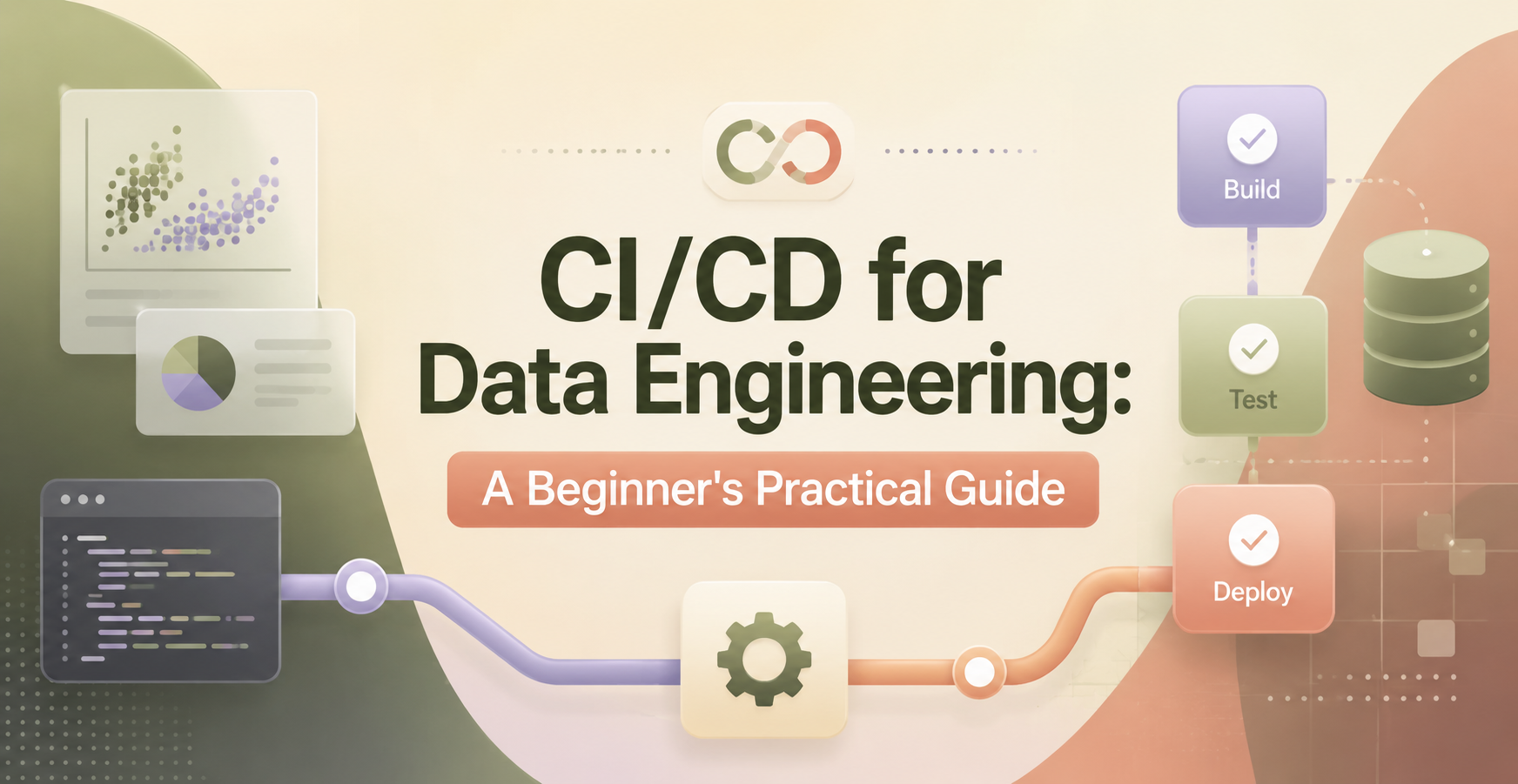
- Edit code or SQL locally.
- Commit the change to Git.
- Run automated tests.
- Open a pull request for review.
- Deploy approved code.
- Monitor the pipeline and resulting data.
The Main Parts of a Data Pipeline CI/CD Workflow
Git stores change history. Pull requests create a review point. Automated checks validate code, SQL, schemas, and sample data. Deployment publishes approved artifacts to development, staging, or production.
Development supports quick experimentation. Staging mirrors production settings with safer data and access. Production runs the business pipeline, so it needs tighter permissions and clear release records.
How Data CI/CD Differs From Software Application CI/CD
Application tests usually focus on behavior, performance, and user-facing features. Data pipelines also need to protect tables, dashboards, machine learning features, reports, warehouse costs, and lineage.
A deployment can succeed while producing duplicate rows or stale data. Teams must consider schema compatibility, late-arriving records, backfills, idempotency, and limited rollback options when a transformation has already changed a warehouse table.
How to Build a Beginner-Friendly CI/CD Pipeline for Data Projects
Start with one repository, one pipeline, and a small test dataset. GitHub, GitHub Actions, Python, SQL, dbt, and Airflow make a practical starter stack. The same workflow works with GitLab CI, Jenkins, Dagster, Prefect, and cloud-managed services.
- Create a repository. Keep dags, models, tests, scripts, infrastructure files, and documentation in clear folders.
- Use branches and pull requests. Create a short-lived branch for each change, then request review before merging into main.
- Run checks on every pull request. Test Python with pytest, compile SQL, run dbt tests, and apply formatting rules.
- Deploy to staging first. Use protected branches, stored secrets, and a manual production approval step until the project is stable.
- Monitor after release. Check pipeline failures, row counts, freshness, and failed data quality tests.
Start With Git, Branches, Pull Requests, and Code Review
Write useful commits such as add unique test for orders model. Keep pull requests small enough for another person to review quickly. Never commit passwords, API keys, private certificates, or production connection strings.
Small changes are easier to troubleshoot and revert. They also create a readable history when an interviewer asks how you handled a production issue.
Add Automated Tests for Code, Schemas, and Data Quality
Use pytest for Python functions. In dbt, start with not_null, unique, accepted_values, and relationship tests. Add linting and formatting so reviewers spend less time on style issues.
Run fast checks before deployment. Then run production checks after loading data, such as freshness, row-count shifts, or null-rate limits. Use fixtures and sample datasets so CI jobs stay fast.
Deploy Safely With Environments, Secrets, and Approvals
Keep development, staging, and production settings separate. Store credentials in GitHub Actions Secrets, AWS Secrets Manager, Azure Key Vault, Google Secret Manager, or a similar service.
Use least-privilege access and protect the production branch. Apply schema migrations in a known order, and require approval before a change touches production tables.
Tools Beginners Can Use for Data Engineering CI/CD
No single tool fits every team. CI/CD tools automate validation and release steps, while orchestration tools schedule and run data pipelines.
| Purpose | Beginner-friendly examples | What it controls |
| Source control and CI | GitHub Actions, GitLab CI, Jenkins | Pull requests, tests, deployments |
| Transformations and orchestration | dbt, Airflow, Dagster, Prefect | SQL models, DAGs, scheduled jobs |
| Testing and quality | pytest, Great Expectations, Soda | Code behavior and data checks |
| Repeatable environments | Docker, Terraform | Containers and cloud resources |
| Cloud delivery | AWS CodePipeline, Google Cloud Build | Managed release workflows |
A Practical Starter Stack for a Small Portfolio Project
Use GitHub for source control and GitHub Actions for CI. Add Docker for repeatable local runs, dbt for SQL transformations, and pytest for Python. PostgreSQL, DuckDB, BigQuery, or Snowflake can hold project data.
Automate formatting, tests, and dbt compilation first. You can deploy manually to staging until your project has reliable checks.
When to Add Infrastructure as Code and Data Observability
Terraform can create repeatable warehouses, storage buckets, and service accounts. Observability tools track freshness, volume changes, schema shifts, lineage, and failed tests.
Add both after your core pipeline works. Deployment checks prevent bad releases, while monitoring finds problems that appear after production data arrives.
Common CI/CD Mistakes and a Simple Learning Plan for Beginners
Testing only whether code runs misses data errors. Add schema and quality checks. Avoid production data in development, hard-coded credentials, and direct production deployments from every commit.
Also check downstream users before changing a schema. Document how to handle backfills and whether a failed release needs rollback or a forward fix.
Mistakes That Break Data Pipeline Releases
- Test data quality, not only syntax and Python execution.
- Use masked or sample data outside production.
- Store secrets in a secret manager, never in source code.
- Check dashboards and downstream models before dropping or renaming columns.
- Require review and approval before production deployment.
- Write a short recovery note for failed jobs, backfills, and schema mistakes.
A Four-Step CI/CD Practice Plan
First, place a small Python and SQL project in Git. Next, run formatting, linting, pytest, and SQL checks on every pull request. Then deploy approved changes to staging with safe secrets. Finally, add production approval, alerts, and a documented rollback or forward-fix plan.
Save portfolio evidence: a working pipeline file, test output, an architecture diagram, and deployment notes.
CI/CD for Data Engineering Glossary
CI: Automated validation that runs when code changes.
CD: Automated or approved delivery of tested changes to an environment.
Pipeline: A sequence of tasks that moves and transforms data.
DAG: A directed acyclic graph that defines task order in tools such as Airflow.
Data quality test: A check for expected data rules, such as uniqueness or non-null values.
Schema migration: A controlled change to table structure, columns, types, or constraints.
Staging environment: A production-like environment for testing releases safely.
Artifact: A versioned output, such as a package, container image, or compiled project.
Idempotency: The ability to run a job repeatedly without creating incorrect duplicate results.
Rollback: Restoring a prior release after a failed deployment.
Observability: Monitoring data freshness, volume, schema changes, lineage, and failures.
Building Safer Data Pipelines Over Time
CI/CD for data engineering gives you a repeatable way to test, review, release, and monitor pipeline changes. Start small, but treat every production change as something that needs evidence and a recovery plan.
- Put your pipeline project in Git.
- Use pull requests and focused reviews.
- Test Python, SQL, schemas, and data rules.
- Deploy to staging before production.
- Protect secrets and production branches.
- Monitor pipeline health after release.
Data Engineer Academy can help you practice Git, SQL, Python, cloud tools, and end-to-end pipeline projects with guided support.
CI/CD for Data Engineering FAQ
Do beginners need CI/CD for data engineering?
Yes, beginners should learn basic CI/CD because it teaches safe development habits early. You don’t need a complex deployment system. Start with Git, pull requests, automated tests, and a staging environment. Those skills apply to portfolio projects and team-based data engineering work.
Is CI/CD different for data pipelines?
Yes, data pipeline CI/CD includes extra risks beyond application releases. A pipeline can run without errors while loading duplicate, stale, or incomplete data. Data engineers must test schemas, transformations, freshness, dependencies, and downstream reporting effects alongside code behavior.
What tools should beginners learn first for data engineering CI/CD?
Start with Git and GitHub pull requests. Next, learn pytest for Python, dbt tests for SQL models, and GitHub Actions for automation. Add one orchestrator such as Airflow, Dagster, or Prefect after you can test and review a small pipeline reliably.
Is Airflow a CI/CD tool?
No, Airflow is primarily a workflow orchestration tool. It schedules and runs data pipeline tasks based on DAG definitions. GitHub Actions, GitLab CI, Jenkins, and cloud delivery services handle automated testing, approvals, and deployment steps around Airflow code.
How do data quality tests fit into CI?
Data quality tests fit into CI by checking assumptions before a release. For example, dbt can test uniqueness, non-null fields, accepted values, and table relationships. After deployment, teams should also monitor live data because production inputs can change unexpectedly.
How should I handle a failed production deployment?
First, stop or pause the affected release if it can cause more incorrect data. Then review logs, assess affected tables, and either roll back or apply a forward fix. Document the cause, recovery steps, and any backfill required to restore accurate data.
What Should Beginners Learn First for Data Engineering CI/CD?
Learn Git branches and pull requests first. Then practice Python and SQL testing, environment management, one CI platform, one orchestrator, secrets handling, and basic monitoring. You don’t need to master every vendor before building a reliable project with clear release controls.
Is CI/CD Worth Learning for an Entry-Level Data Engineer?
Yes, CI/CD is worth learning because it shows production awareness. A portfolio project with tests, pull requests, deployment notes, and monitoring evidence gives you concrete examples for interviews. It also demonstrates that you can work safely within the release process used by real data teams.